
Every home seems to have one room where the WiFi simply gives up, and far more often than not it is the bathroom. Phones drop to one bar, podcasts stall mid-sentence, and a video that streamed happily on the landing buffers three steps later. None of that is bad luck; a bathroom is genuinely the most hostile room in the house for a WiFi signal, and the reasons are worth understanding before spending any money on a fix.
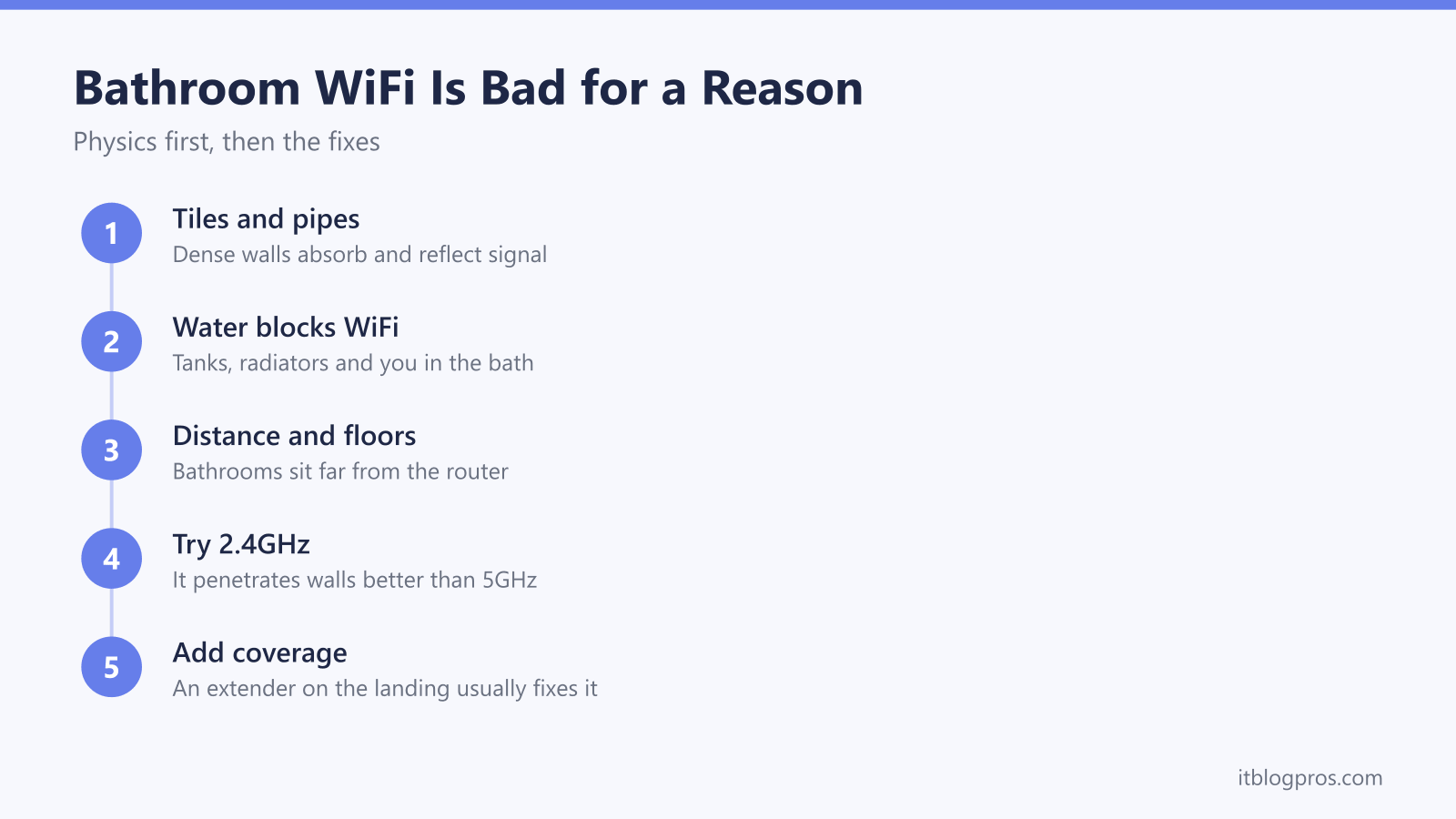
Bathroom WiFi is bad because the room itself fights the signal. Tiles on dense backing absorb it, copper pipes, radiators, mirrors and cisterns reflect it, and water soaks up 2.4GHz energy remarkably well, which is the same reason a microwave oven heats food. Add the distance from the router and very little signal survives the journey. The fix is an extender or mesh node on the landing outside, not anything inside the bathroom.
Key Takeaways
- Tiled walls with dense backing absorb WiFi, while copper pipes, radiators, mirrors and cisterns scatter and reflect whatever gets through.
- Water absorbs energy at WiFi frequencies very effectively; microwave ovens cook food at roughly the same frequency for the same reason.
- Bathrooms compound the physics by sitting far from the router, usually with an extra wall or a whole floor in the signal path.
- The fix lives outside the room: sort the router's placement, favour the 2.4GHz band, and put an extender or mesh node on the landing.
- UK wiring regulations keep standard mains sockets out of bathrooms, so the landing is the safe and legal home for any WiFi kit.
A bathroom is built almost entirely out of WiFi blockers
WiFi is radio, and radio hates dense materials. An ordinary plasterboard wall takes a small bite out of the signal as it passes through; the materials a bathroom is made of do far worse. Ceramic tiles are dense on their own, and they never sit on bare plasterboard. Underneath there is a bed of adhesive, often cement backer board, and in older houses a layer of sand-and-cement render, so a tiled bathroom wall behaves less like a wall and more like a slab. A good portion of the signal that hits it is absorbed, and much of the rest bounces straight back off.
Then come the reflectors. The mirror over the basin has a metal backing, which reflects radio waves rather than letting them pass. Copper pipework threads through the walls and floor, the towel radiator is a lump of steel full of water, the cistern holds several litres more, and the bath itself may be pressed steel or cast iron. Metal does not so much absorb WiFi as fling it off in other directions, so the signal that does enter the room gets scattered into a mess of overlapping reflections. A bathroom is not a true Faraday cage, but of all the rooms in an ordinary house, it is the closest thing to one.
Water absorbs WiFi, and bathrooms are full of it
The 2.4GHz band that WiFi relies on sits in the same part of the radio spectrum as a microwave oven, which cooks by pumping energy at about 2.45GHz into the water inside food. A popular myth says this is water's resonant frequency; it is not, and an oven could heat food at plenty of other frequencies. What is true, and what matters for bathroom WiFi, is that water absorbs energy across these microwave frequencies very effectively. A filled bath holds around 80 litres of it directly in the signal path, and the cistern, the pipework and the hot water sitting in the radiator all add more.
People count too. A human body is mostly water, and it weakens a WiFi signal measurably; standing between a phone and the router, then stepping aside, is often enough to watch the bars change. In a small tiled room, one person plus a full bath plus the plumbing adds up to a great deal of absorption packed into a very short distance. The 5GHz band suffers even more, because higher frequencies lose more energy passing through solid material in general, which is why the fastest band is usually the first to vanish at the bathroom door.
The bathroom compounds the physics by sitting in the worst spot
Physics alone would make bathroom WiFi mediocre. The layout of a typical UK home makes it worse. The router lives wherever the master socket happens to be, usually the hallway or the living room, while the bathroom sits upstairs at the back, about as far away as the building allows. Before the tiles and pipework take their share, the signal has already crossed a floor, two or three internal walls and whatever furniture and people were in the way. What arrives at the bathroom door is the leftovers of the leftovers.
Small rooms bring a practical problem on top: there is nowhere to put any kit. No router will ever live in a bathroom, and there are no ordinary sockets in there for an extender either, for safety reasons covered further down. Almost every other weak room in a house can be fixed from inside the room itself. The bathroom is the one room that has to be fixed entirely from outside.
Fix the path to the bathroom, not the bathroom itself
Because nothing inside the room can change, the whole game is improving the signal's journey to the bathroom door. Placement comes first, and it costs nothing. A router sat on the floor behind the telly, or shut inside a cupboard under the stairs, is throwing away signal in every room, not just the bathroom. Lifting it onto a shelf, getting it into open air and moving it away from large metal objects can noticeably change what reaches the far end of the house; the weak WiFi signal guide works through placement and the rest of the free fixes in order.
Band choice comes second. The 2.4GHz band carries less speed than 5GHz but punches through walls and floors far better, which makes it the right band for the furthest room in the house. Where the router allows the two bands to be named separately, splitting them lets a phone deliberately join the 2.4GHz name in the bathroom instead of clinging to a 5GHz signal that barely arrives. Plenty of ISP hubs insist on steering devices between bands themselves; in that case the phone should drift onto 2.4GHz by itself as the 5GHz signal fades, although the handover is not always graceful. A quick speed test run by the basin before and after each change shows honestly whether things are improving.
An extender or mesh node on the landing is the real fix
When placement and band tweaks run out of road, the answer is hardware just outside the bathroom, and the landing is nearly always the right spot. An extender plugged into a landing socket picks up a still-healthy signal from the router, then rebroadcasts it through a single stud wall or an open door, a journey of a couple of metres instead of a whole house. The bathroom goes from receiving the weakest signal in the home to sitting next door to a fresh access point.
For a single stubborn room, the TP-Link RE315 is the sensible budget option. It is a dual-band AC1200 unit, rated at 867Mbps on 5GHz and 300Mbps on 2.4GHz, with two adjustable aerials, and it sets up in a few minutes through the Tether app or the WPS button on the router. One honest caveat before buying: its OneMesh feature only works with TP-Link OneMesh routers, so behind a standard ISP hub it runs as an ordinary extender. It can still be given the same network name as the main WiFi, which stops most phones asking to switch manually, but the handover will never be as seamless as a proper mesh system.

The TP-Link extender setup guide covers placement and pairing step by step, including how to check that the landing socket sits close enough to the router to receive a signal worth repeating. Households with several weak rooms, rather than one awkward bathroom, are better served by mesh, and the extender versus mesh comparison sets out honestly where the extra spend pays off and where it does not.
Mains WiFi kit stays out of the bathroom
Any temptation to squeeze an extender inside the bathroom itself runs straight into UK wiring regulations, and the regulations are right. BS 7671 divides a bathroom into zones around the bath and shower, and a standard 13A socket is only permitted when it sits at least 3 metres horizontally from the edge of zone 1. Most UK bathrooms are simply not big enough for that, which is why the vast majority contain no ordinary sockets at all. The shaver socket by the mirror is no loophole either: it is a low-power isolated unit designed for shavers and electric toothbrushes, with the wrong connector and nowhere near the capacity for networking kit.
Steam and condensation would make short work of the electronics in any case. A landing socket a couple of metres away avoids every one of those problems, and because a single plasterboard wall takes only a small bite out of a WiFi signal, it genuinely works better than any in-room gadget could.
Honest expectations for the smallest room
Realism helps here. With an extender or mesh node on the landing, streaming video in the bathroom is a perfectly achievable goal; HD video needs only around 5Mbps, and a healthy 2.4GHz connection through one wall delivers that with room to spare. Music, podcasts, radio and ordinary browsing are trivial by comparison, and a steamed-up room will not break any of it, although a room full of moisture never helps the numbers.
The bathroom will still be the weakest room in the house, and it always will be. Tiles, metal and water are not going anywhere, so a speed test run next to the basin will never match one run next to the router. That is fine. The goal is a connection that holds a stream without stuttering, not a record-breaking one, and the landing fix delivers exactly that for a modest outlay.