
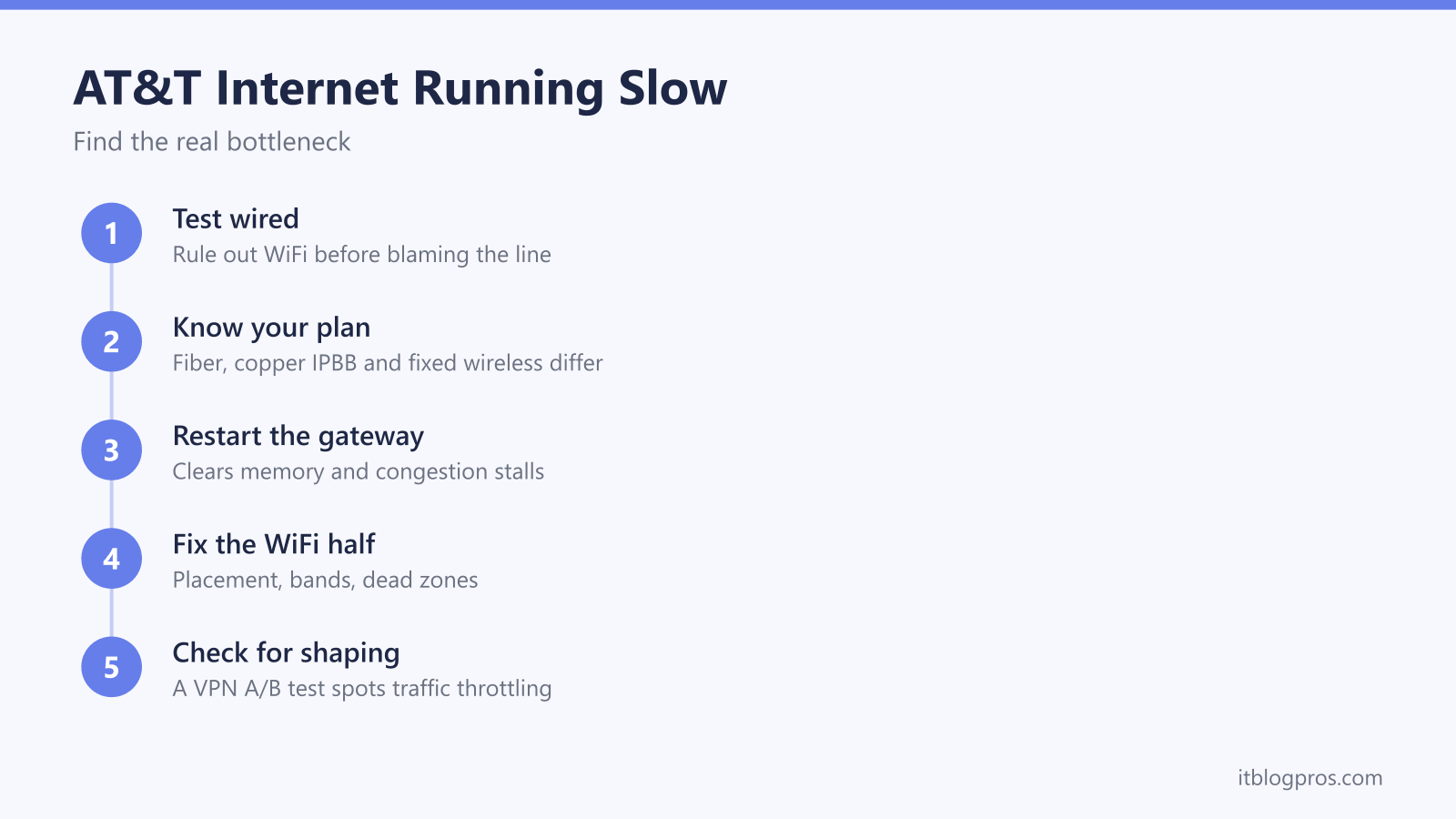
A speed test that comes back at half the number on the bill is one of the most common AT&T complaints, and the usual advice for it ranges from useless to expensive. Most slow AT&T connections trace back to a short list of causes, and each one takes only minutes to test for. This guide works through them in the order that finds the culprit fastest.
AT&T internet usually feels slow for one of four reasons: the WiFi is underperforming the line, the plan itself has a low ceiling, the gateway needs a restart, or the network is busy at peak times. A five-minute wired speed test separates the line from the WiFi, and comparing that number against your plan tier shows straight away whether AT&T is delivering what you actually pay for.
Key Takeaways
- A wired Ethernet speed test separates the line speed from the WiFi and is the essential first step before changing any settings.
- AT&T Fiber, copper-based IPBB and Internet Air fixed wireless have very different speed ceilings, and a plan delivering its advertised tier is working as sold.
- A gateway restart clears built-up memory use and forces a fresh connection, and it genuinely resolves a large share of sudden slowdowns.
- Most slow-internet complaints are really WiFi complaints, with gateway placement, band congestion and dead zones cutting real-world speeds long before the line does.
- Evening slowdowns on shared infrastructure are congestion rather than throttling, and a VPN A/B test shows whether traffic-type shaping is actually happening.
Test with a cable before touching a single setting
Every fix on this page depends on knowing one number: what the line itself delivers. Plug a laptop or desktop into one of the gateway's Ethernet ports, switch the computer's WiFi off, close anything else that is using the connection, and run a speed test.
That one measurement splits the problem in half. A wired result close to your plan speed means the line is fine and the WiFi is the bottleneck, so the fixes live in the WiFi section below. A wired result far below the plan speed means the problem sits with the line, the plan or the gateway, and no amount of router repositioning will touch it.
Two details keep the test honest. First, the test machine matters: an older laptop with a 100 Mbps network port will cap the result at 100 Mbps no matter how fast the line is, and even some USB Ethernet adapters top out well below gigabit. Second, run the test more than once and at more than one time of day, because a single reading proves very little and the pattern across readings is the actual diagnosis.
The plan type sets the ceiling, and the ceilings vary wildly
AT&T sells home internet over three very different technologies, and knowing which one feeds your house explains a lot of "slow" all by itself.
AT&T Fiber runs fiber optic cable all the way to the home. Tiers start around 300 Mbps and run up to multi-gig speeds in many areas, with upload speeds that match downloads. This is the technology with the highest ceiling and the most consistent performance.
AT&T Internet over copper, the service AT&T calls IPBB, runs fiber to a neighborhood node and then uses the old copper phone line for the final stretch. The copper is the constraint: the longer the run from the node, the lower the maximum speed, and these plans commonly top out somewhere between 10 and 100 Mbps with much slower uploads. A 50 Mbps IPBB line delivering 45 Mbps on a wired test is not broken. It is doing what the plan sold, and the only genuine upgrade path is a faster product, not more troubleshooting.
AT&T Internet Air is fixed wireless delivered over AT&T's mobile network. Speeds depend on signal strength at your address and how busy the local cell is, which is why AT&T advertises it as a typical range rather than a fixed number. Variation across the day is normal for this product in a way it is not for fiber.
Checking your tier takes a minute: sign in to your myAT&T account or open the Smart Home Manager app, and the plan is listed alongside your service details. The bill names it too. While you are in the account pages, a bill that is due can be settled in about two minutes using AT&T FastPay without logging in. Once you know the tier, every speed test result on this page has a yardstick.
A gateway restart fixes more than it reasonably should
It sounds like a support-line cliche, but the restart earns its reputation. An AT&T gateway is a small computer that often runs for months without a break. Over that time its memory fills with the debris of thousands of connections, its connection-tracking table bloats, and minor firmware glitches accumulate. A restart clears all of that, forces the gateway to re-establish its connection to the network, and starts WiFi fresh.
The method matters slightly. Unplug the gateway's power cable, wait a full minute, plug it back in, and then leave it alone until the status light settles, which can take several minutes. The Smart Home Manager app can also trigger a restart remotely, which is handy when the gateway lives somewhere awkward. What you do not want is the factory reset button, which wipes your settings and solves a different problem entirely; the full walkthrough of the difference is in our reset, reboot and restart guide for every US ISP.
One caveat keeps this honest: a restart is a fix, not a maintenance schedule. A gateway that needs restarting every few days to stay usable is showing a symptom of failing hardware or a line problem, and that pattern belongs in the escalation section at the end of this page.
The WiFi half is where most of the speed actually goes
When the wired test comes back healthy, the line is delivering and the WiFi is losing it. That is the most common outcome of the test, and the fixes are free or cheap.
Placement comes first. WiFi signal weakens with every wall, floor and large object it passes through, so a gateway installed in a basement corner, a closet or a media cabinet is fighting the house. Central, elevated and out in the open is the goal, and even moving the gateway a few feet clear of a TV, a metal shelf or a fish tank can change the far end of the house noticeably. The gateway often sits wherever the installer found the easiest connection point, which is rarely the best spot for coverage.
Bands come second. The 2.4 GHz band travels further but is slow and crowded; the 5 GHz band is much faster but fades sooner. Recent AT&T gateways broadcast a single network name across both bands and steer each device to whichever looks best, and that steering is usually sensible but not perfect. A device that keeps landing on 2.4 GHz while sitting near the gateway will feel slow on any plan, and moving closer, or separating the bands in the gateway settings to pin important devices to 5 GHz, gets the speed back.
Dead zones are a physics problem, and the fix is more transmitters rather than more troubleshooting. AT&T offers WiFi extenders designed to pair with its gateways and manage themselves through the same app, and third-party mesh systems work as well when connected to the gateway. Either way, the principle is identical: put a second access point near the dead zone, ideally linked back by Ethernet, instead of hoping one box in one corner can cover an entire home.
Congestion and throttling are different problems with different fixes
The evening slowdown is where accusations start flying, so it is worth being precise about what is actually happening.
Congestion is nobody slowing anything on purpose. Parts of the path to your home are shared: Internet Air shares the capacity of the local cell, IPBB shares capacity at the neighborhood node and beyond, and even fiber shares the wider network behind it. When the whole street streams at 8pm, demand can outrun capacity and everyone dips together. The signature is that everything slows equally and the pattern tracks the clock, easing late at night and vanishing in the morning.
Throttling, properly called traffic shaping, is a deliberate act: a network identifies a type of traffic, classically streaming video or peer-to-peer transfers, and slows that category while everything else runs at full speed. It only works when the network can see what kind of traffic is passing. For what AT&T itself does and does not do, the honest source is AT&T's own published broadband transparency statement rather than forum folklore, and it is worth reading directly.
Your own line can settle the question in ten minutes with a VPN A/B test. Run a wired speed test with no VPN and note the result. Connect a VPN to a nearby US server and run the same test on the same site straight away, then repeat the pair a couple of times because individual runs bounce around. Speeds that are consistently and dramatically faster inside the tunnel suggest something on the path is discriminating by traffic type, because hiding the traffic removed the penalty. Speeds that are the same or slightly lower inside the tunnel mean no shaping is happening; the small drop is normal encryption overhead, and the real culprit is congestion or WiFi.
Being straight about the tool matters. A VPN cannot un-congest a busy cell or node, cannot lift a line above its plan speed, and on a connection that is not being shaped it makes nothing faster. Where an encrypted tunnel genuinely earns its keep is wherever traffic-type discrimination does happen, with hotel WiFi that squeezes video, some campus and workplace networks, and mobile tethering plans that treat tethered streaming differently being the everyday examples, plus the quieter benefit that browsing stays private from whoever runs the network. If your A/B test shows the gap, the same tunnel closes it, because traffic that cannot be identified cannot be selectively slowed.
Stop peak-time throttling of streaming and games →
The signs that mean it is time to call AT&T
Some problems live on AT&T's side of the wall, and no home fix reaches them. Three patterns justify the call.
Chronic under-delivery on wired tests is the first. A line that tests far below its tier at every hour of the day, on a capable wired computer, after a gateway restart, is not a WiFi problem or a congestion problem. Keep a few dated screenshots of those wired results, because specific numbers move a support call along far faster than "it feels slow."
Repeated loss of sync is the second. A gateway whose broadband light keeps dropping and retraining, with the internet dying and reviving through the day, points to a line fault, and on IPBB connections degraded copper, corroded joints or water in the line are classic causes, especially after storms. The status lights tell this story clearly once you can read them, and our guide to what every US gateway light means, ISP by ISP decodes the AT&T patterns.
A gateway that only behaves for a few days after each restart is the third. Rented AT&T gateways are AT&T's responsibility, and a unit that needs constant restarting is a fair candidate for replacement rather than another workaround.
Before calling, check the Smart Home Manager app or the AT&T outage page for a known problem in your area, since an acknowledged outage means the ticket already exists. When you do call, lead with the wired numbers, say what you have already tried, and the conversation starts three steps ahead of a vague slow-internet complaint.