
A desk, a console or a TV box sitting two rooms from the router is one of the most common home networking headaches, and WiFi is rarely the best answer for kit that never moves. Four routes carry a proper wired connection into that room, and they differ enormously in cost, effort and reliability. This guide covers all four honestly, including one that needs no new cables at all.
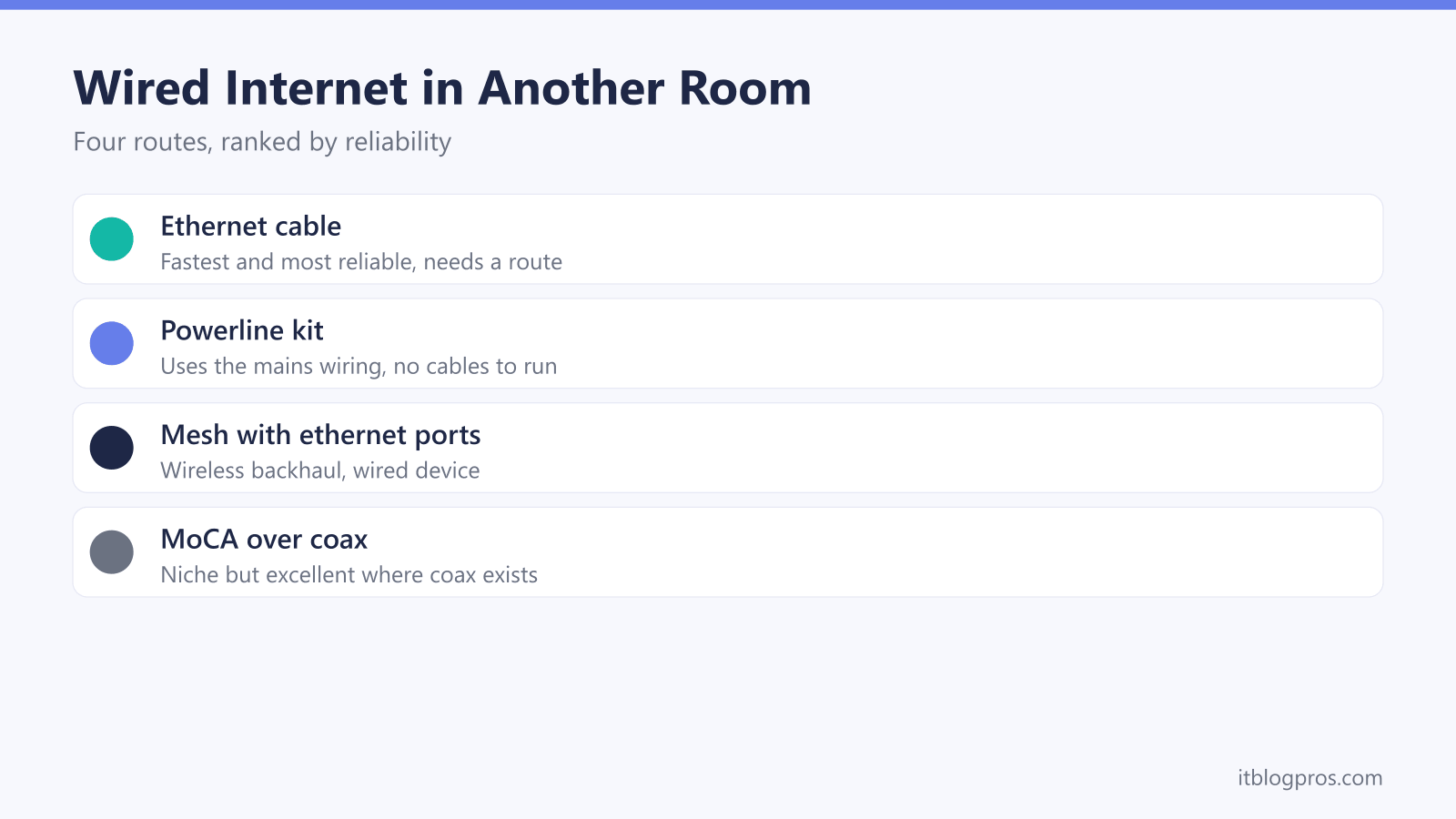
Four routes get wired internet into another room: a flat Cat 6 cable run along the skirting, a powerline kit that sends data over your mains wiring, a mesh satellite whose ethernet port serves the device, or MoCA adapters over existing coax. A direct cable is the fastest and most reliable where the run is practical; powerline and mesh trade some speed for a far easier install.
Key Takeaways
- A direct ethernet cable is the most reliable route, and flat Cat 6 runs along skirting or under carpet without drilling in most homes.
- Powerline adapters use the mains wiring to carry the network, though real-world speeds land well below the number on the box.
- A mesh satellite with an ethernet port gives a nearby device a wired connection over a wireless backhaul, with no new cables at all.
- MoCA adapters turn existing coax into a fast network link, a niche option in the UK but excellent where Virgin-style coax already runs.
- Every device moved onto a wire stops competing for WiFi airtime, so the phones and laptops left on wireless get faster too.
Wired wins for anything that sits still
The case for a wire is stronger than most people expect. A cable delivers the full speed of the connection with a steady, low ping, because nothing interferes with a run of copper: no thick walls, no neighbouring networks, no microwave ovens. WiFi throughput rises and falls moment to moment as interference and household traffic change, and it is exactly that variability, rather than the average speed, that causes buffering wheels mid-stream and rubber-banding mid-game.
Desks, consoles, smart TVs and streaming boxes are the ideal candidates. They sit still, they pull the heaviest sustained traffic in the house, and none of them benefits from being wireless. There is a bonus that goes unnoticed too: every device moved onto a wire stops competing for WiFi airtime, so the phones, tablets and laptops that genuinely need wireless all get a cleaner signal. One wire to the telly can make the WiFi upstairs feel quicker.
Route one: a direct ethernet cable is the gold standard
Nothing beats a real cable. It costs the least, carries the most, and never has an off day. Modern flat Cat 6 also makes the job far tidier than the fat round cables people picture: a flat profile hugs the skirting board on adhesive clips, slips under the edge of a carpet, and passes beneath a door with room to spare. For a room directly through one wall, drilling a hole at skirting level and pushing the cable through is a fifteen-minute job; drill it wide enough for the plug rather than just the cable, since a 16mm masonry bit gives an RJ45 connector comfortable clearance.
The honest part is knowing when a run stops being realistic. One floor and one or two walls is comfortable territory. A run from a lounge router to a loft bedroom across three storeys turns into an afternoon of stairs, door frames and trailing edges, and a rented home may rule out drilling entirely, although a surface run on removable clips usually stays within the rules of any tenancy. Measure the route the cable will actually follow, along the skirting and up over each door frame rather than the straight line through the walls, then add a couple of metres of slack. The Virgin Media ethernet cable guide explains why Cat 6 is the sensible category and Cat 7 and 8 are wasted money, and for a run out to a shed or garden office, the garden network cable guide covers the external-grade cable that job needs instead.
For indoor runs the verified pick is the Jadaol flat Cat 6: slim enough for skirting and carpet edges, snagless connectors, and sold in lengths up to 30 metres for a few pounds more than a short patch lead.

Route two: powerline uses the mains wiring already in your walls
Powerline adapters are the route for rooms a cable cannot sensibly reach. A kit contains two plug-in units: one sits in a socket near the router with a short ethernet lead between them, the other goes in a socket in the far room, and the pair send network data along the mains wiring between the two. To the console or PC plugged into the far adapter, it looks exactly like an ethernet port in the wall. Setup genuinely takes five minutes, and nothing is visible between the rooms, which is why powerline suits rented homes and tidy-minded households so well.
The speed on the box deserves an honest translation. Kits are sold under labels like AV1000, and no home gets that figure; the rating describes the raw link under ideal test conditions, before real wiring gets involved. Performance depends on the age of the wiring, the distance the signal travels along it, which is often far further than the distance between the rooms, and how much electrical noise nearby appliances make. On decent modern wiring, somewhere between 100 and 300Mbps is a realistic expectation from an AV1000-class kit, and older or noisy wiring can land well below that. Both adapters also need to sit on wiring that connects cleanly, which in practice means results are best on the same ring and can drop when the signal crosses circuits at the consumer unit. Plug the units straight into wall sockets, never into extension leads or surge-protected strips, and buy from a retailer with painless returns in case the wiring turns out to be one of the awkward ones.
Even at those honest numbers, powerline is comfortably enough for streaming, video calls and online play, where a steady ping matters far more than raw speed; the powerline for gaming guide digs into that side properly. The verified kit is TP-Link's TL-PA7017P: a gigabit ethernet port on each unit, and a passthrough socket on the front so the wall socket it occupies is not lost.

Route three: a mesh satellite gives a wired port with no new cables
Mesh WiFi systems exist to fix dead zones, but most of them carry a handy side effect: the satellite units have ethernet ports on the back. Place a satellite in the far room, plug the TV box or console into its port with a short cable, and the device gets a wired connection while the satellite talks to the main unit wirelessly.
Being clear about what that buys is important. The hop between the mesh units is still wireless, so this route does not equal a real cable run; a poor backhaul link makes a poor wired port. What it fixes reliably is the last metre. Devices with weak or dated WiFi radios, older smart TVs especially, often perform far better through a nearby satellite's ethernet port than over their own wireless, because the mesh units carry better aerials and sit in better positions than a telly's internals ever could. The route makes most sense in homes that want better whole-house WiFi anyway, since a decent system costs more than the other three routes put together; the extender versus mesh guide walks through choosing one.
Route four: MoCA runs the network over existing coax
The fourth route is genuinely niche in the UK but worth knowing about. MoCA adapters send network data over TV coax cable, with one adapter at each end of an existing run, and the current MoCA 2.5 standard is rated to 2.5Gbps, which puts a good coax link far closer to real ethernet than powerline ever gets.
The catch is that British homes rarely have the coax for it. The technology thrives in North America, where houses are plumbed with coax to every room; here, the realistic candidates are homes with Virgin-style cable runs or older multi-room TV distribution, where coax already links the right rooms. The runs need to actually connect to each other, usually at a splitter, and any run still carrying a live TV or broadband signal needs compatible frequencies and the correct filters, so check the adapter manufacturer's official guidance against the setup before spending anything. Where the coax exists and the runs join up, MoCA is excellent: fast, stable and completely invisible.
Matching the route to the room
The decision comes down to four things: distance, walls, what the tenancy allows, and budget.
Distance and walls come first. A room on the same floor within a wall or two is cable territory, and nothing else comes close on price or performance. Upstairs rooms, long runs across the house and thick stone walls tilt the answer towards powerline or a mesh satellite, since both ignore the geometry that makes a cable run painful.
Rental restrictions matter more than people admit. Drilling is usually out, but a flat cable on removable adhesive clips harms nothing, and powerline and mesh leave no trace at all when moving day arrives.
Budget settles the rest. A long flat Cat 6 lead costs £10 to £20. A powerline kit sits around £40 to £50. A pair of MoCA adapters costs more than a powerline kit, and a mesh system starts north of £100, so mesh only earns its place when the whole house's WiFi needs the upgrade anyway.
Where every option is on the table, the order of preference is simple: cable first, then MoCA if the coax already exists, then powerline, then a mesh satellite. Every one of them beats weak WiFi on a device that never moves.