
Wanting your own internet connection while living in your parents' house is a completely normal ask, whether the driver is remote work, gaming, streaming or simply having a bill in your own name. The good news is that there are three realistic ways to do it in the UK. The catch is that the right route depends on permission, budget and what the house connection already looks like.
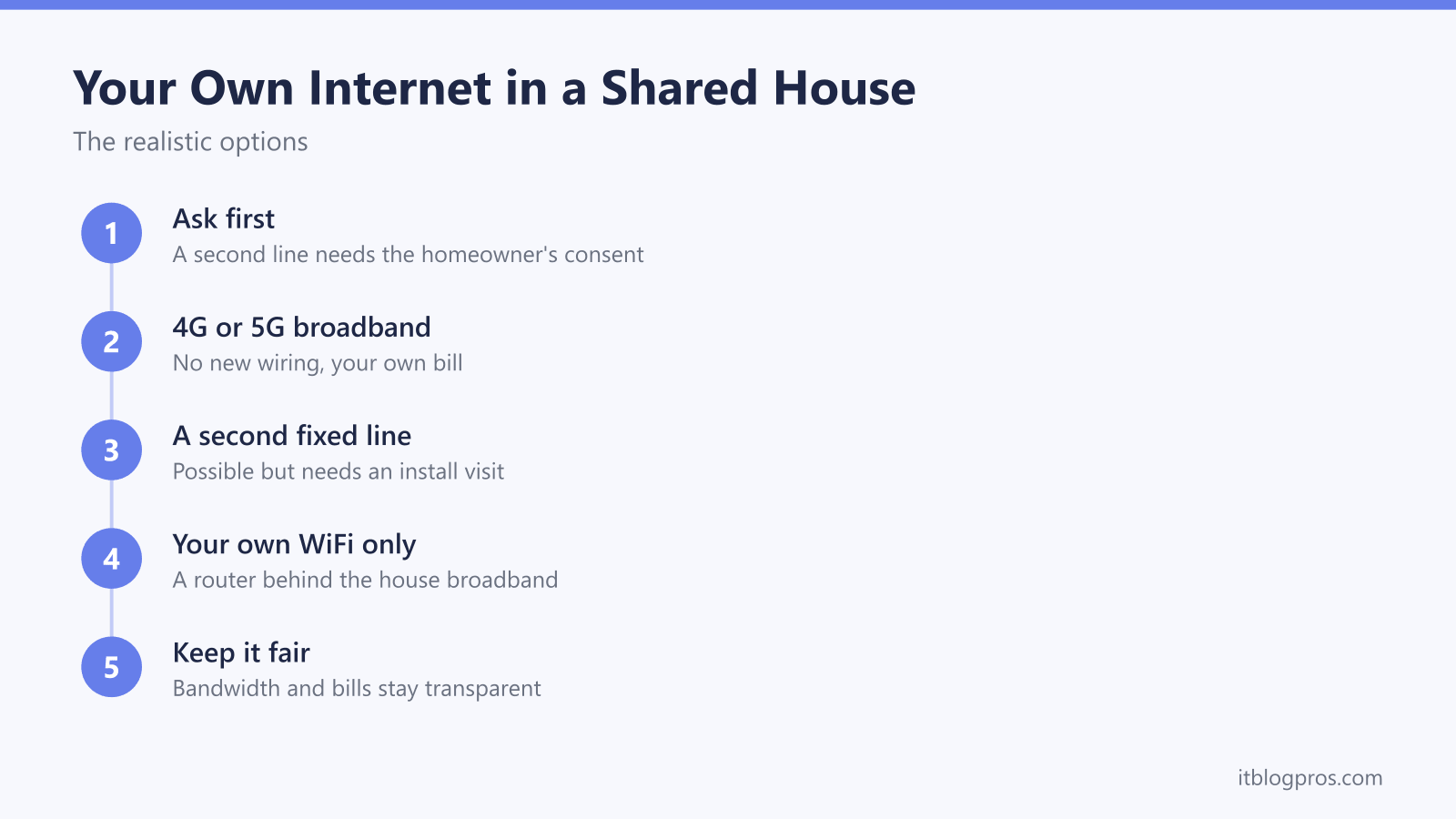
Getting your own internet in your parents' house is genuinely possible, and there are three realistic routes. A 4G or 5G broadband hub on your own contract needs nothing but a power socket. A second fixed line can be installed at the same address, but it needs the homeowner's consent and an engineer visit. And your own router behind the house broadband gives you your own WiFi network without a new line.
Key Takeaways
- Ask before ordering anything: a second fixed line needs the homeowner's consent, an engineer visit and sometimes new wiring, so it is never a stealth option.
- A 4G or 5G broadband hub on your own contract is the lowest-friction route: no wiring, your own bill, and it works from a bedroom with a decent signal.
- Two broadband services at one address are genuinely possible in the UK, including cable and Openreach lines side by side, but availability has to be checked per address.
- Your own router behind the house broadband gives you your own WiFi name and settings without a new line, but it shares the house bandwidth and bill, and it invites double NAT.
- Whatever route you pick, agree who pays what and how peak-time streaming and gaming get handled before the first bill arrives.
Ask first, because a second line is never a stealth install
A second fixed broadband line cannot be arranged quietly. The order goes through an ISP, an engineer normally needs access to the property, and sometimes a new cable run or an extra socket has to go in. The homeowner will notice, the engineer may want their sign-off before drilling anything, and if the house itself is rented then the landlord's consent matters too, because new wiring changes the property.
So the honest first step is a conversation, not a checkout page. Cover what you want, roughly what it costs, whose name the contract sits in, and what happens to the line and the kit when you eventually move out. Framed as a second line, paid for by you, that takes your gaming and video calls off the family WiFi, the idea tends to land far better than a surprise engineer appointment ever would.
One route on the ladder skips nearly all of this friction, and it gets its own section below: a 4G or 5G hub installs nothing at all. Even then, telling the household what the new box in your room is doing remains the decent move.
The realistic options form a ladder, from zero friction to full separation
Three routes are worth considering, and they sit on a ladder of cost, effort and independence.
- Your own router behind the house broadband. Cheapest and quickest. You get your own WiFi network and your own settings, but you are still sharing the house connection and the house bill.
- 4G or 5G mobile broadband. A hub on your own contract, plugged into a socket in your room. Your own bill, your own bandwidth, and nothing installed in the house.
- A second fixed line. Full separation with fixed-line reliability, but it needs consent, an engineer visit and an availability check, and it means two full broadband bills under one roof.
Most people asking this question end up on the first or second rung. The second line makes sense for long stays and heavy use. The sections below take each route in turn, starting with the one that needs the least permission.
A 4G or 5G hub is the fastest way to a connection that is truly yours
Mobile home broadband is the quiet winner here. The provider posts you a hub with a SIM already inside, you plug it into a power socket in your bedroom, and within minutes you have a broadband connection that is contractually and physically separate from the house one. No engineer, no drilling, no shared password, and the bill lands in your name.
The big caveat is signal. A 4G or 5G hub is only as good as the mobile coverage reaching the room it sits in, so before committing, put the exact address through the provider's own coverage checker, and place the hub near a window if you can. Speeds vary enormously between addresses and even between rooms, which is why most providers let you cancel within an initial period if the service does not perform. Rolling monthly plans exist alongside longer contracts, and they suit a stay of uncertain length far better than an 18-month fixed-line deal does.
One honest limitation deserves a mention: mobile broadband networks typically place customers behind carrier-grade NAT, which blocks inbound connections. Browsing, streaming and ordinary online gaming are fine, but hosting servers or forwarding ports generally is not. That trade-off, and what you can and cannot do about it, is covered in detail in our guide to using your own router or mesh with Three 5G broadband, and the same broad picture applies to the other mobile providers.
A second fixed line is genuinely possible, with real install friction
Two broadband services at one address is not an exotic request in the UK. ISPs that sell over the Openreach network can usually place an order for an additional line at an address that already has service, and because Virgin Media operates its own separate cable network, a Virgin connection and an Openreach connection can happily coexist in the same house. Plenty of home-worker households run exactly that setup for redundancy.
None of this is guaranteed for a specific property, though. Capacity in the local network, the wiring route into the house and whether a given network reaches the address at all vary street by street, so the only reliable answer comes from running the address through the provider's availability checker and then making clear during the order that you want a new additional line, not a takeover or migration of the existing service. Takeovers are the classic accident here, and they cut off the rest of the household.
Budget for the friction as well as the monthly fee. A new line usually means an engineer appointment someone has to be home for, possibly a fresh cable run to the property and a new socket or ONT on an inside wall, and a second full-price broadband contract in a house that already pays for one. In exchange you get complete separation: your own speed, your own router, your own bill, and no arguments about who is hogging the bandwidth. For a stay of a year or more with heavy usage, that trade can absolutely be worth it.
Your own router behind the house broadband buys control, not capacity
The third route costs the least and asks permission of no ISP at all: plug your own router into a spare LAN port on the existing house hub. Your router then broadcasts its own WiFi network with its own name and password, and everything connected to it lives under your control, with your choice of settings, device rules and network name.
Be clear-eyed about what this does not do. Your traffic still travels over the house connection, so you share every megabit and the house still pays the one bill. A second router adds zero speed. What it adds is control and tidiness, which for many people is most of what they actually wanted.
The classic technical gotcha is double NAT. Two routers in a row both translating addresses will often show up as a strict NAT type on consoles, broken port forwarding and flaky peer-to-peer connections. It is fixable with the right setup, and our plain-English guide to what double NAT is and how to fix it walks through detecting it from your router's WAN IP and clearing it. For the per-provider detail on modem mode, access-point mode and which UK hubs cooperate, see the full guide to using your own router with any UK ISP.
Money and peak-time fairness decide whether the arrangement survives
The technology is usually the easy half. The arrangement that actually lasts is the one where everyone knows who pays for what before the first bill arrives. If you go for a 4G or 5G hub or a second line, the clean version is simple: your connection, your contract, your money. If you stay on the shared connection, agree a contribution that reflects your usage honestly, because a household of light browsers subsidising nightly 4K streaming and game downloads breeds resentment fast.
Peak time is the other flashpoint. Between roughly 8pm and 11pm, everyone streams, updates and games at once, and a shared line shows the strain exactly then. Sometimes the fairest fix is not a second connection at all: upgrading the whole house to a faster package and splitting the extra cost can be cheaper than any option on the ladder, and it makes every person in the house happier rather than just one.
Lodgers, students and renters climb the same ladder with one extra hop
The same three options apply when the house is not your parents' place, with one added layer of permission. A lodger needs the homeowner's consent for anything involving an engineer or new wiring, and a tenant needs the landlord's, since a tenancy rarely allows alterations to the property without agreement. The router-behind-the-hub route and the 4G or 5G hub route need no such consent, which is why the mobile hub is the standard answer for lodgers who want a genuinely private connection.
Students in shared houses face a timing problem on top: fixed broadband contracts commonly run 18 or 24 months while tenancies often run 9 to 12, and early-exit fees on broadband are real money. A rolling monthly 4G or 5G plan sidesteps the mismatch entirely, and it also removes the end-of-tenancy argument about whose name the bill was in.
4G or 5G broadband wins outright in more cases than people expect
Looking across the whole ladder, the mobile hub keeps winning on the criteria that matter most in someone else's house. It needs no permission beyond a power socket. It needs no engineer, no wiring and no changes to the property. It creates no entanglement with the household's own contract, so nobody else's service is at risk from your order. And when you eventually move out, the hub goes in a bag and comes with you, with only a coverage check needed at the new address.
The cases where it loses are just as clear: a weak mobile signal at the address, a need for inbound connections that carrier-grade NAT blocks, or a long stay with heavy usage where a second fixed line's stability justifies its friction. Check the coverage, be honest about your usage, and have the conversation first. The right option usually picks itself.